 Back
Back
Upcoming Lesson Notes
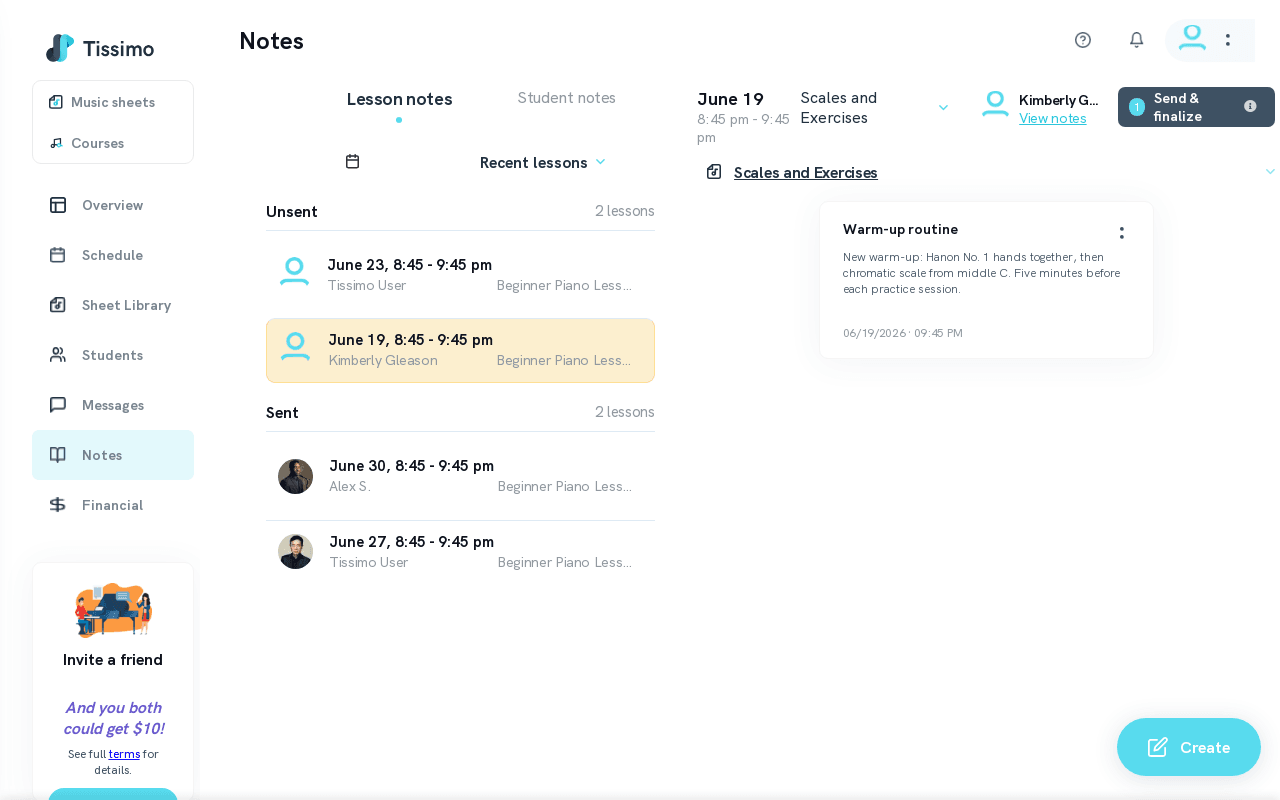
The Upcoming Lesson Notes view shows you scheduled lessons coming up over the next 30 days, along with the status of any notes you have prepared for them. It is the fastest way to make sure every student gets their assignment before — or right after — the lesson. Access it from your Notes page.
Unsent Section
The Unsent section lists upcoming lessons for which notes have not yet been finalised and sent to the student. This includes lessons where you:
- Have already drafted notes but have not yet sent them.
- Have not yet created any notes.
Scrolling through this list before your teaching day gives you a clear picture of which students still need preparation work.
Sending Timing Rules
- From the Notes page, you can send Lesson Notes at any time — even before the lesson. Sending before the lesson starts shares the notes with the student while keeping them editable and re-sendable; sending once the lesson has started finalises and locks them.
- In the classroom, the Send lesson notes button becomes available 5 minutes before the lesson end time.
- There is no strict deadline — you can also send notes after the lesson has ended.
Tips for Music Teachers
- Prepare notes early in the week for all upcoming lessons, then send them as each lesson wraps up.
- Use the Upcoming view as a pre-lesson checklist: if a student appears here, their notes are not yet finalised.
- Note categories like Repertoire, Scales and Exercises, and Ear training help students know exactly what to practice.
Related Articles
- Create Lesson Notes — step-by-step guide to writing and categorising notes.
- Send Lesson Notes — timing rules and sending from different locations.
- Recent Lesson Notes — review notes for past sessions.
- Unsent Notes vs. Sent Notes — understand the difference between note states.

Comments