 Back
Back
Lesson Notes vs. Student Notes
Tissimo provides two distinct note types for teachers. Understanding the difference helps you use each one effectively.
Lesson Notes
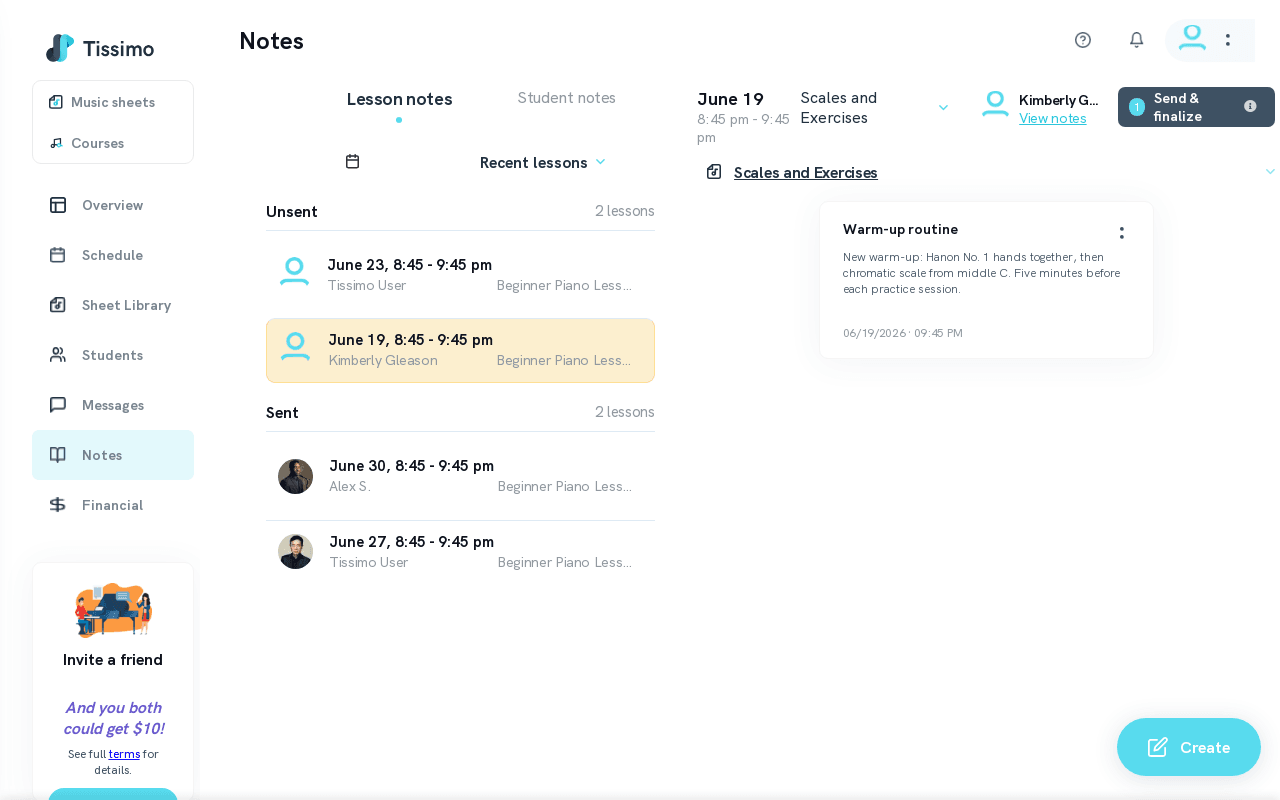
Lesson Notes are assignments and reminders you send to your students after a lesson.
- Each note is tied to a specific lesson.
- A single lesson can have multiple Lesson Notes.
- You can create and edit them freely until they are finalized.
- Notes sent after the lesson has started are finalized and cannot be edited or added to. Notes shared before the lesson starts remain editable and can be re-sent.
- Students receive and can review their Lesson Notes from their account.
Best for: Assigning practice material, scales, repertoire pieces, theory exercises, or any task the student should complete before the next lesson.
To get started, visit your Lesson Notes page or read the Create Lesson Notes guide.
Student Notes
Student Notes are private notes visible only to you. Students never see them.
- Not tied to any specific lesson — can be created or edited at any time.
- Useful for tracking learning preferences, personality traits, past challenges, or long-term goals.
Best for: Remembering a student's favorite composers, genres they dislike, physical limitations affecting technique, long-term goals, or anything you want to keep in mind across many lessons.
Access your private notes from the Student Notes page. To learn how students view the notes you send them, see Accessing Lesson Notes as a Student.

Comments